Implementing CI/CD for Static Website Deployment with GitHub Actions and CloudFront
This is a personal project. Full implementation available on GitHub.
CloudPipe is a small web agency that creates websites for local companies. Until recently, developers manually downloaded files from GitHub and uploaded them to the production server. This time-consuming process often led to errors, such as missing files or deploying the wrong version.
To address these challenges, I built a reliable and automated infrastructure where each website update is deployed through a GitHub Actions pipeline, eliminating the risks of manual uploads, and improving speed, consistency, and visibility.
Table of Contents
Implementation Strategy
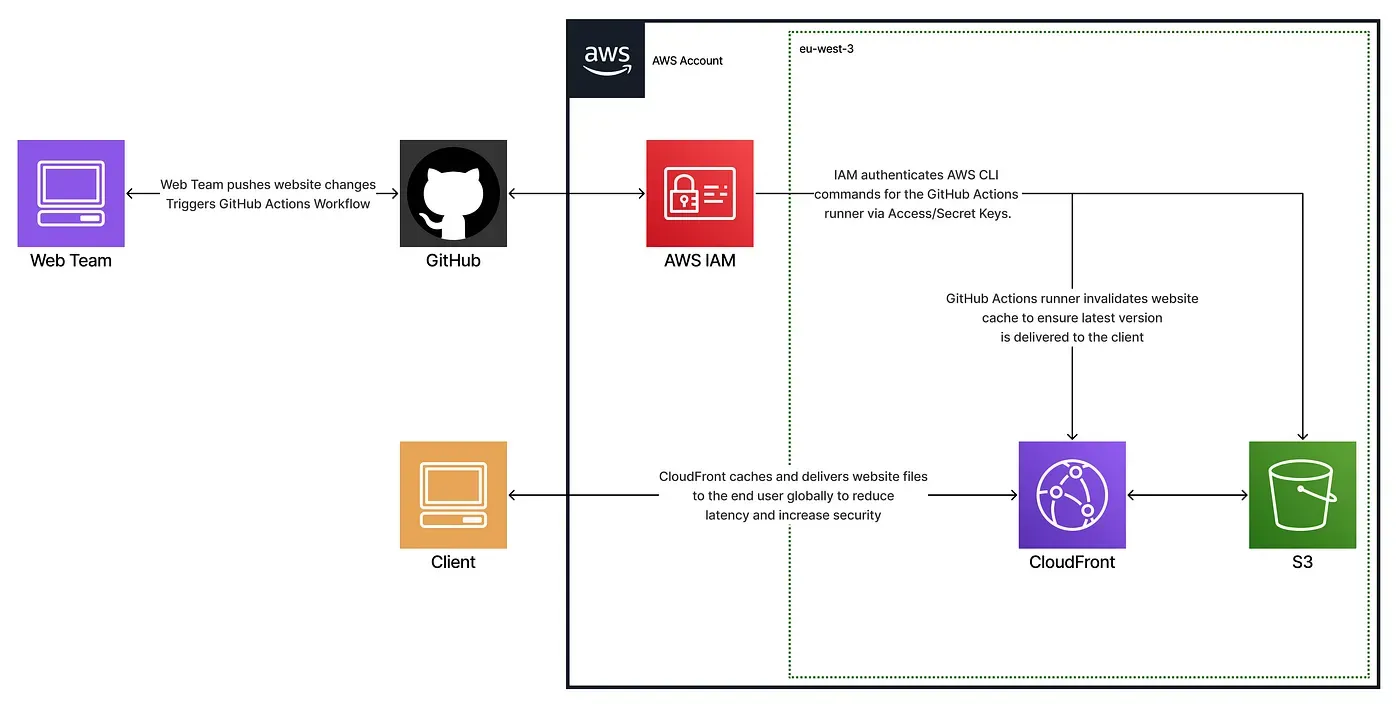
To enhance and modernize the agency’s outdated deployment process, I implemented a CI/CD pipeline that ensures a reliable, scalable, and secure distribution of the website using GitHub Actions, AWS S3, and CloudFront.
This new infrastructure delivers a complete solution by:
- Eliminating manual uploads to reduce human error
- Automating website deployment
- Hosting static content securely
- Delivering assets globally with access control
- Providing immediate feedback to developers on deployment status
To keep things simple while meeting key security and scalability requirements, I designed the system around three core layers:
- Version control & trigger: a GitHub repository that automatically initiates deployment on each push
- Build & deploy pipeline: builds the frontend, syncs files to S3, and invalidates CloudFront cache
- Static hosting & distribution: ensures fast, HTTPS-based delivery via CloudFront with access control
All resources were provisioned through AWS CloudFormation, allowing for reproducible and transparent infrastructure.
Technical Breakdown
GitHub Repository Configuration
The source files include index.html, JavaScript files, CSS stylesheets, and assets, all stored in the repository. The build output goes to frontend/dist, which is synced to the S3 bucket during deployment. Each push to main automatically triggers the workflow.
GitHub Actions Workflow
The CI/CD pipeline is defined in .github/workflows/deploy_static_website.yaml.
It automates the entire delivery process by building the frontend, uploading it to S3, and invalidating the CloudFront cache to ensure users always receive the latest version of the site. AWS credentials and configuration values (such as access keys and bucket name) are securely stored in GitHub Secrets, preventing hardcoded credentials in the codebase.
- name: Install Dependencies & build
  run: |
    cd frontend
    npm i
    npm run build- name: Configure AWS Credentials
  uses: aws-actions/configure-aws-credentials@v1
  with:
    aws-access-key-id: ${{ secrets.AWS_ACCESS_KEY_ID }}
    aws-secret-access-key: ${{ secrets.AWS_SECRET_ACCESS_KEY }}
    aws-region: eu-west-3
- name: Sync new files with S3 Bucket
  run: |
    aws s3 sync ./frontend/dist s3://${{ secrets.S3_BUCKET_NAME }} --delete
- name: Invalidate CloudFront cache
  run: |
    aws cloudfront create-invalidation --distribution-id ${{ secrets.CLOUDFRONT_DIST_ID }} --paths "/*"
S3 Bucket and CloudFront
The CloudFormation template (website-hosting-stack.yaml) provisions the entire static hosting infrastructure, including:
- An S3 bucket to store static frontend assets (private, not exposed directly to the web)
- A bucket policy that restricts read access exclusively to CloudFront
- A CloudFront distribution that delivers the site securely over HTTPS with caching and access control
- A generated domain that serves as the public entry point to the website
Below is the CloudFormation template:
AWSTemplateFormatVersion: "2010-09-09"
Description: Static website hosting using S3 and CloudFront
Resources:
  S3Bucket:
    Type: "AWS::S3::Bucket"
  CloudFrontOAC:
    Type: "AWS::CloudFront::OriginAccessControl"
    Properties:
      OriginAccessControlConfig:
        Name: "oac-for-s3"
        OriginAccessControlOriginType: s3
        SigningBehavior: always
        SigningProtocol: sigv4
  CloudFrontDistribution:
    Type: "AWS::CloudFront::Distribution"
    Properties:
      DistributionConfig:
        Origins:
          - DomainName: !GetAtt S3Bucket.RegionalDomainName
            Id: "static-hosting"
            S3OriginConfig: {}
            OriginAccessControlId: !GetAtt CloudFrontOAC.Id
        Enabled: true
        DefaultRootObject: "index.html"
        HttpVersion: http2and3
        IPV6Enabled: true
        ViewerCertificate:
          CloudFrontDefaultCertificate: true
        DefaultCacheBehavior:
          AllowedMethods: [GET, HEAD, OPTIONS]
          ViewerProtocolPolicy: redirect-to-https
          CachePolicyId: "658327ea-f89d-4fab-a63d-7e88639e58f6"
          Compress: true
          TargetOriginId: "static-hosting"
  BucketPolicy:
    Type: 'AWS::S3::BucketPolicy'
    Properties:
      Bucket: !Ref S3Bucket
      PolicyDocument:
        Version: '2012-10-17'
        Statement:
          - Effect: Allow
            Action: 's3:GetObject'
            Resource: !Sub 'arn:aws:s3:::${S3Bucket}/*'
            Principal:
              Service: 'cloudfront.amazonaws.com'
            Condition:
              StringEquals:
                AWS:SourceArn: !Sub 'arn:aws:cloudfront::${AWS::AccountId}:distribution/${CloudFrontDistribution}'
Tests & Validation
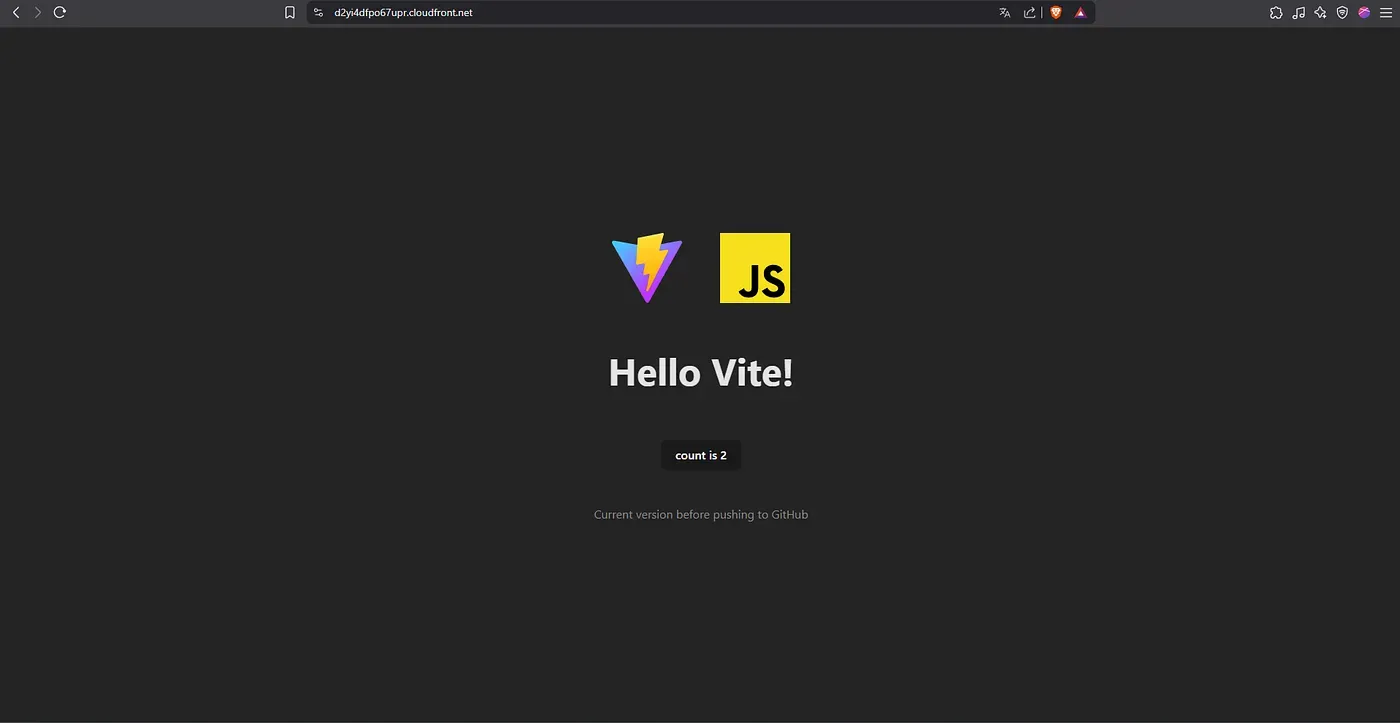
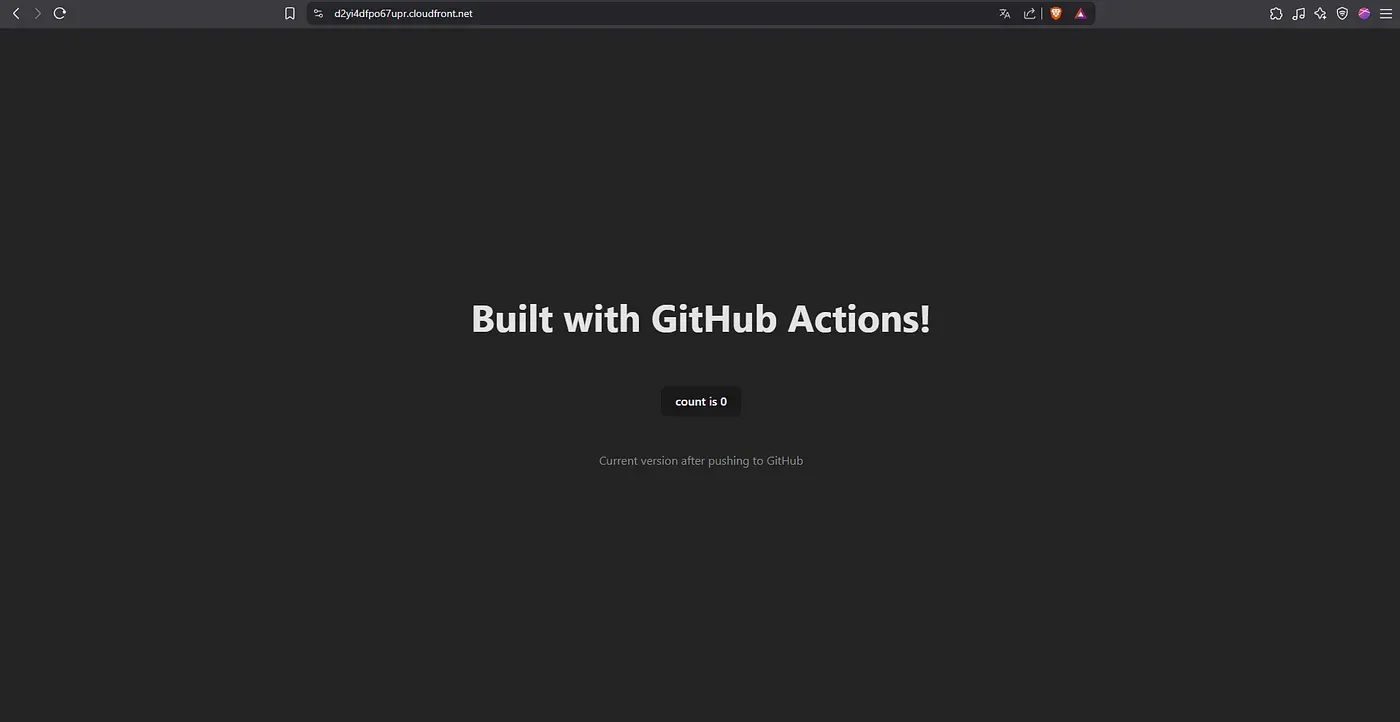
CloudFront delivery
Accessing the CloudFront domain successfully loads the updated site, served securely over HTTPS.
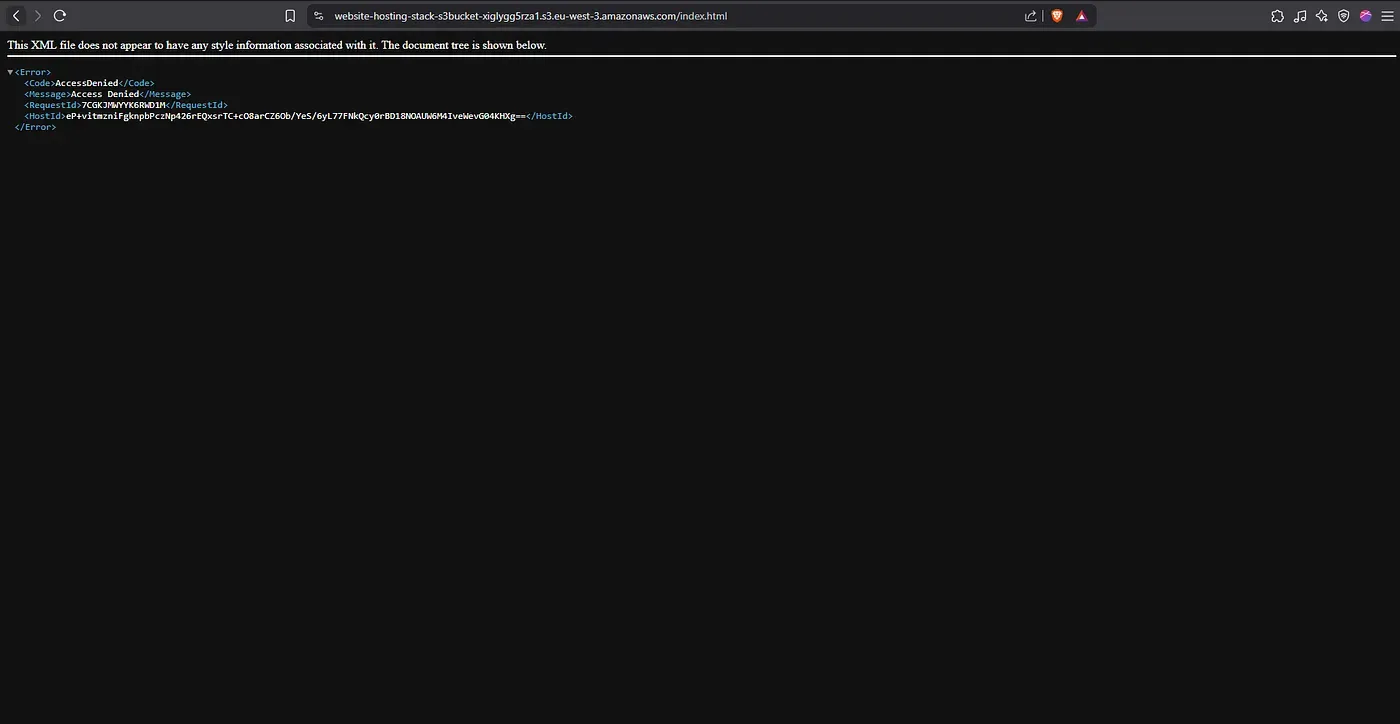
S3 access restriction
Any direct attempt to access an object via an S3 URL returns an “Access Denied” message, confirming that only CloudFront can serve the content.
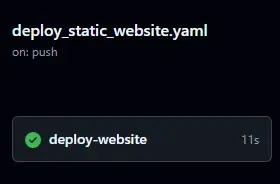
Deployment triggered by push
A push to the main branch automatically triggers the pipeline.
This was verified by inspecting the GitHub Actions logs.
Build artifacts
The Vite build output is generated in frontend/dist and successfully synced to the S3 bucket.

Conclusion
We moved from a time-consuming manual workflow to a scalable, secure, and reliable deployment process.
Websites are now hosted in a private S3 bucket, delivered securely through CloudFront, and every push to the main branch automatically triggers an updated deployment within seconds.
This transformation provides CloudPipe with a modern infrastructure that enables faster, safer, and fully automated website delivery, while significantly reducing the risk of human error.