Deploying a Next.js Portfolio with AWS Amplify and CDK
Rather than using a website builder, I wanted to challenge myself by creating and deploying my own portfolio using cloud infrastructure. This project combines Next.js, AWS Amplify, and AWS CDK to build a modern pipeline that follows best practices of infrastructure as code, CI/CD, and automated deployment.
This site is currently offline while the frontend is being finalized. Once completed, it will be deployed automatically, through the same pipeline. Full implementation available on GitHub.
Table of Contents
Implementation Strategy
To keep a clear separation between infrastructure and application logic, the project is organized into two main directories:
portfolio/: contains the Next.js frontend applicationinfra/: contains the CDK code responsible for deploying the app with AWS Amplify
The diagram below summarizes the CI/CD workflow from GitHub to AWS Amplify, where each push automatically triggers a new deployment accessible to users.
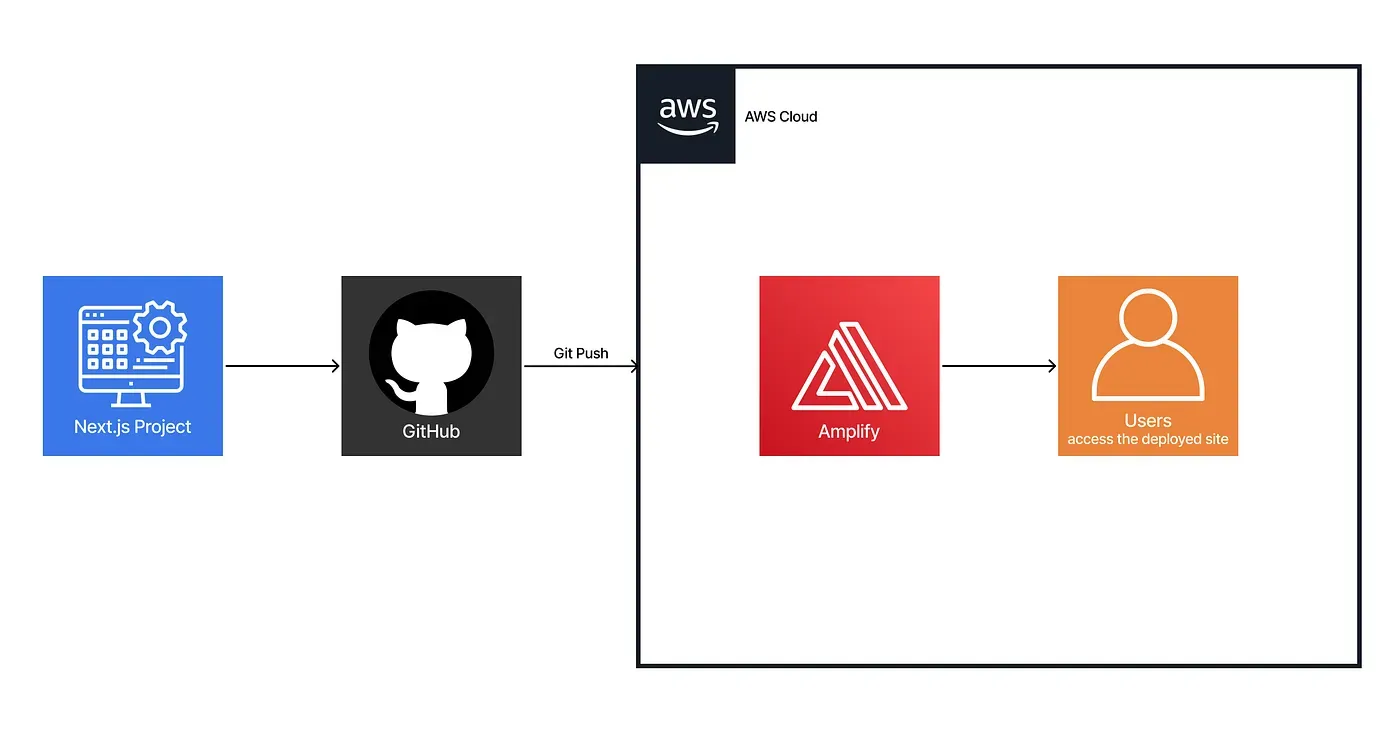
The key technologies and services used include:
- AWS CDK (TypeScript) — to provision the Amplify application and connect it to GitHub
- A custom Amplify
**buildSpec**— to build and export the static Next.js site - AWS Secrets Manager — to securely store the GitHub access token
Technical Implementation
1. Next.js Project Setup
The frontend is located in the portfolio/ directory and was initialized with:
npx create-next-app@latest portfolio --typescriptTo enable static export, I added the following script in package.json:
"scripts": {
  "build-and-export": "next build && next export"
}
This outputs the static site to the out/ directory, which Amplify will serve.
2. Amplify Deployment with CDK
The CDK stack provisions an Amplify application connected to a GitHub repository. The GitHub token is securely retrieved from AWS Secrets Manager:
const amplifyApp = new amplify.App(this, "MyAmplifyApp", {
  appName: 'Portfolio',
  sourceCodeProvider: new amplify.GitHubSourceCodeProvider({
    owner: 'rayanoss',
    repository: 'portfolio_aws_amplify',
    oauthToken: cdk.SecretValue.secretsManager('github-token')
  }),
});
The build process is defined using a custom buildSpec, which installs dependencies, builds the app, and exports the static site:
buildSpec: codebuild.BuildSpec.fromObjectToYaml({
  version: '1.0',
  frontend: {
    phases: {
      preBuild: {
        commands: [
          'cd portfolio',
          'npm install'
        ]
      },
      build: {
        commands: [
          'npm run build-and-export'
        ]
      }
    },
    artifacts: {
      baseDirectory: 'portfolio/out',
      files: ['**/*']
    },
    cache: {
      paths: [        'portfolio/node_modules/**/*',
        'portfolio/.next/cache/**/*'
      ]
    }
  }
})
Automatic deployment is enabled on the main branch:
const mainBranch = amplifyApp.addBranch('main', { autoBuild: true });3. CI/CD Pipeline
Thanks to the Amplify and GitHub integration, each push to the main branch triggers an automatic deployment. The workflow offers:
- Continuous deployment with no manual steps
- Visibility into build logs through the Amplify Console
- No need to manage custom build servers
This setup provides a simple yet effective introduction to CI/CD principles with minimal configuration effort.
Testing & Validation
After pushing the project to GitHub and deploying the CDK stack, I validated the full workflow:
1. CI/CD Workflow
After deployment, the portfolio was successfully served through the Amplify-hosted URL, with all static content rendered as expected and no backend configuration required.
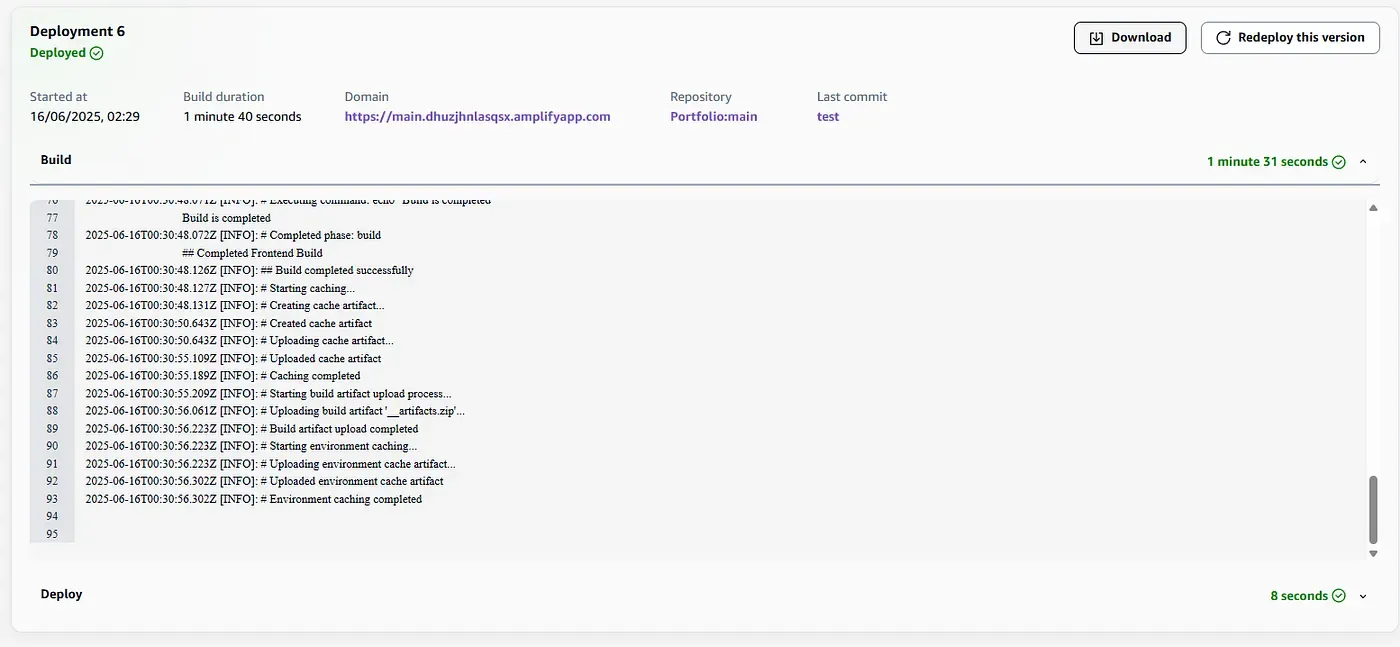
2. Static Export Verification
Below is an extract from the Amplify build logs, showing the static export workflow in action, from install to artifact upload.
2025-06-16T00:30:00.095Z [INFO]: Cloning into 'portfolio_aws_amplify'...
2025-06-16T00:30:00.150Z [INFO]: Successfully cleaned up Git credentials
2025-06-16T00:30:14.465Z [INFO]: ## Starting Backend Build
2025-06-16T00:30:14.471Z [INFO]: ## Starting Frontend Build
2025-06-16T00:30:14.471Z [INFO]: # Starting phase: preBuild
2025-06-16T00:30:14.515Z [INFO]: # Executing command: npm install
2025-06-16T00:30:29.805Z [INFO]: up to date, audited 171 packages in 12s
2025-06-16T00:30:29.811Z [INFO]: 95 packages are looking for funding
2025-06-16T00:30:29.812Z [INFO]: # Starting phase: build
2025-06-16T00:30:29.813Z [INFO]: # Executing command: npm run build-and-export
2025-06-16T00:30:48.072Z [INFO]: # Completed phase: build
2025-06-16T00:30:48.126Z [INFO]: ## Build completed successfully
2025-06-16T00:30:56.061Z [INFO]: Uploading build artifact '__artifacts.zip'
2025-06-16T00:30:56.223Z [INFO]: Build artifact upload completed
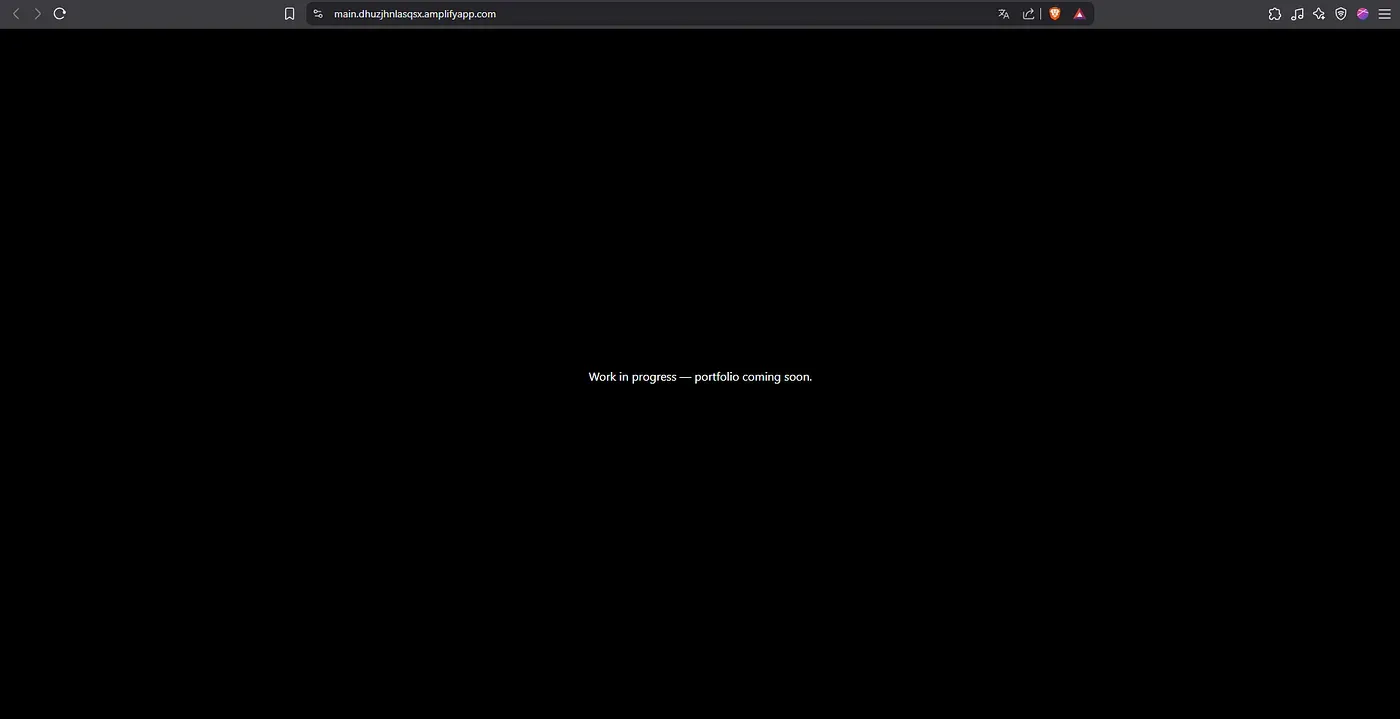
3. Amplify Hosting Verification
After deployment, the portfolio was successfully served through the Amplify-hosted URL, with all static content rendered as expected and no backend configuration required.
Conclusion
This project demonstrates how to deploy a static portfolio using Next.js, AWS Amplify, and CDK, following modern DevOps practices such as CI/CD, infrastructure as code, and automated deployments.
The result is a reproducible and maintainable architecture, where every update pushed to GitHub is automatically built and deployed through Amplify.